Private Windows backlog
Before
Invoices, research PDFs, screenshots, and installers in Downloads
After
Foldora proposes a local, reviewable structure before anything moves
Compare Foldora and Sortio for Windows file organization, privacy, previews, renaming, and ongoing automation before choosing a workflow.
Choose Foldora when you want a review-first workflow on Windows or Mac that analyzes supported file metadata locally, proposes folders and names, and keeps every move reviewable. Choose Sortio when you want prompt-based routing and ongoing automation. Verify processing settings before using either tool with sensitive material.
A real Foldora application frame and the recorded demo show the local desktop flow used to choose a folder and review organization before applying changes.
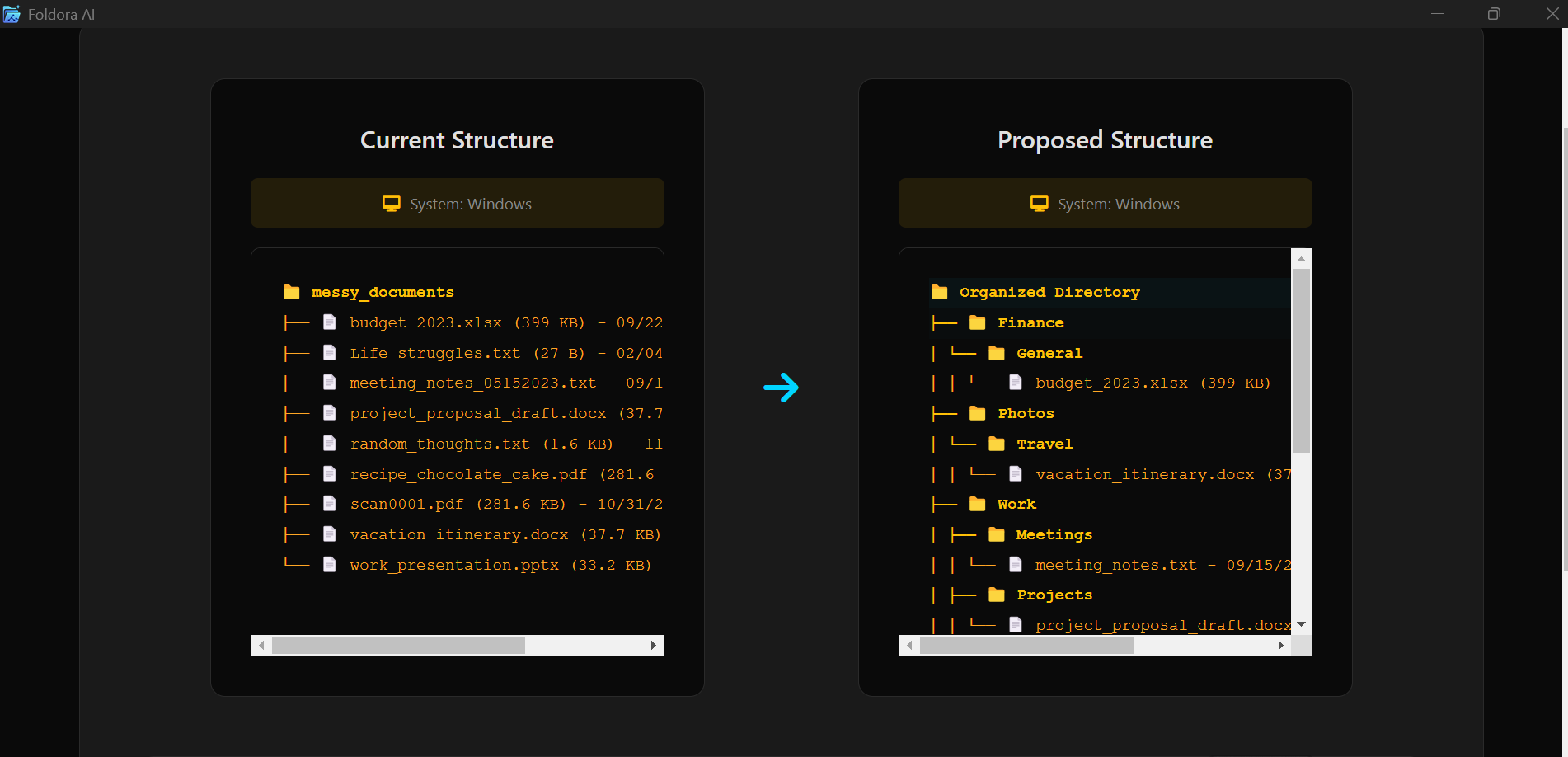
A demo illustrates the workflow, not universal classification accuracy. Test representative files and keep a backup before a large move.
Foldora is designed for a review-first desktop workflow on Windows and macOS: select a folder, inspect proposed categories and names, then apply only the changes you approve. Its local approach is useful when file privacy and a bounded workflow matter.
Sortio is positioned as a cross-platform AI organizer that can rename and route files from prompts, with optional content-aware analysis and ongoing automation. That flexibility makes processing settings and review controls important comparison points.
Invoices, research PDFs, screenshots, and installers in Downloads
Foldora proposes a local, reviewable structure before anything moves
Mixed files arriving across Mac, Windows, and Linux folders
Sortio routes files from prompts and ongoing automation settings
Both reduce manual filing, but their strongest use cases are different.
| Option | Best for | Tradeoff |
|---|---|---|
| Foldora | Windows and Mac users who want local, preview-first organization | Focused desktop workflow with supported file types |
| Sortio | Cross-platform prompt-based routing and automation | Review processing settings carefully for sensitive files |
| Manual or rule-based tools | Small folders or highly predictable conditions | More repeated work or more rule maintenance |
Foldora is designed around local, preview-first Windows organization. With any tool, verify exactly which signals are processed locally and whether optional content analysis sends data elsewhere.
Sortio is positioned around prompt-based sorting, renaming, and ongoing automation. Review its current settings and preview behavior before enabling recurring actions.
Yes. Foldora shows proposed destinations and names so you can exclude or correct items before applying a move.
Run local AI on Windows or macOS, review the proposed structure and filenames, then apply the changes you approve.
Get Foldora Get the complete bundle